Yuva Sathi Registration Number Kaise Find Karein? (2026 Guide)
If you have applied for the Banglar Yuba Sathi Scheme in West Bengal and cannot find your registration number, do not worry. You may be able to retrieve it through the official portal using the mobile number you registered with during the application process. If you applied offline, your acknowledgement slip may also contain useful registration details.
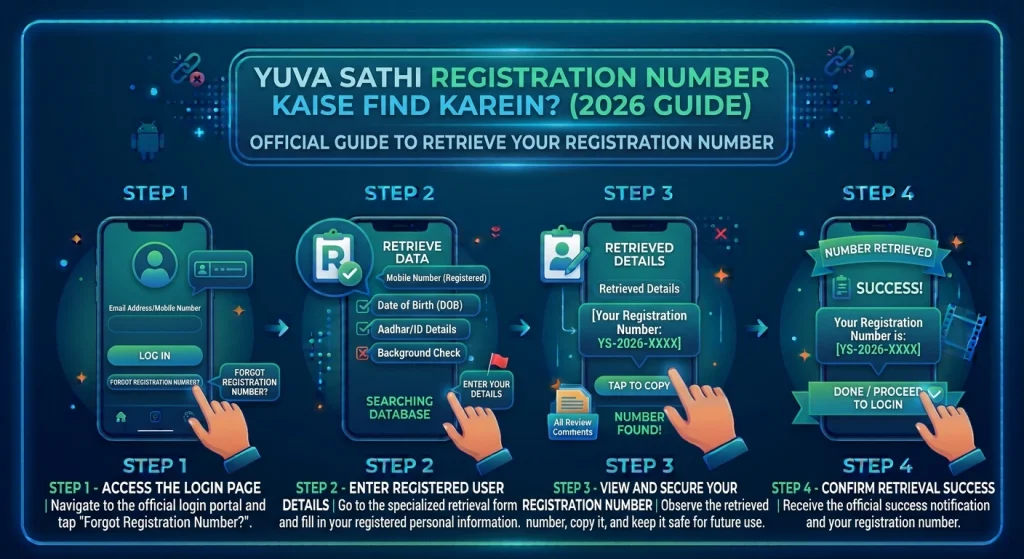
In this guide, you will learn Yuva Sathi Registration Number Kaise Find Karein, how to check your application online, where to look for your registration number, and what to do if you cannot find it.
Important: Use the official Government of West Bengal website for application-related information. The online application submission period has ended, so existing applicants should check their records and follow official instructions rather than submitting another application.
What Is the Yuva Sathi Registration Number?
The Yuva Sathi registration number is an identification number associated with your application under the Banglar Yuba Sathi Scheme. It can help you identify your application when checking its status or contacting the relevant help desk.
You may need this number to:
- Identify your submitted application.
- Keep a record of your registration.
- Refer to your application when contacting official support.
- Locate your submitted application details, where the portal provides this facility.
Keep your registration number private and store it safely with your application acknowledgement and other relevant documents.
Yuva Sathi Registration Number Kaise Find Karein Online?
If you submitted your application online, start by visiting the official Yuba Sathi website.
Official website: https://yubasathi.wb.gov.in/
Follow these steps to look for your registration number.
Step 1: Open the Official Yuva Sathi Portal
Visit the official Government of West Bengal Yuba Sathi portal. Check that the website address is correct before entering any personal information.
Avoid unofficial websites that ask you to pay a fee to retrieve your registration number.
Step 2: Look for the Application Status Option
On the official portal, look for the Application Status or Check Status option, if available. Open it and read the instructions shown on the screen.
The portal’s available features may change, so follow the options currently displayed on the official website.
Step 3: Enter Your Registered Mobile Number
If the status-checking page requests your registered mobile number, enter the same number you provided when applying for the scheme.
Make sure the number is correct. Using a different mobile number may prevent you from accessing your application information.
Step 4: Complete Verification
If the portal asks you to complete a CAPTCHA or request an OTP or Secret PIN, follow the instructions displayed on the official website.
Enter the OTP only on the verified government portal. Never share it with another person.
Step 5: Look for Your Registration Number
After successful verification, check the information displayed on the screen. If your application has been recorded in the system and the number is available, it may appear with your application details.
Write down the number or save a screenshot for your records. If the portal offers an option to view or print your submitted application, you can use that option to keep a copy.
Note: The exact steps and available options may change. If you cannot find a status-checking feature, contact the official help desk for current instructions.
How to Find Your Yuva Sathi Registration Number on an Acknowledgement Slip
If you submitted your application at an authorised camp or through an offline process, check the acknowledgement slip or receipt you received.
Follow these steps:
- Find the paper receipt or acknowledgement issued when you submitted your application.
- Check for a field labelled Registration Number, Application Number, or a similar term.
- Read the number carefully and make sure you do not confuse it with another document number.
- Keep the original acknowledgement safe and take a clear photograph or photocopy for your records.
Some application forms or acknowledgements may contain a registration field associated with the Duare Sarkar process. The exact format depends on the document you received.
If your acknowledgement does not show a number, do not create one yourself. Contact the relevant official support service and ask how to retrieve your application details.
What If You Have Lost Your Yuva Sathi Registration Number?
Losing your registration number does not necessarily mean that your application has been lost. You should first look for your original application records and then use the official support channels if needed.
Here are the steps you can take.
1. Check Your SMS Messages
Search your phone’s messages for communications received around the date you applied. Look for messages mentioning Yuba Sathi, Banglar Yuba Sathi, application submission, or registration.
If you received a confirmation message, it may contain an application reference or instructions for checking your details.
2. Check Your Saved Documents
Look in your phone’s downloads folder, gallery, email inbox, or document folder for a saved application form, PDF, acknowledgement, or screenshot.
If you printed your application, review the printed copy carefully.
3. Use the Official Portal
Visit the official portal and check whether the current application-status facility lets you retrieve your details using your registered mobile number.
Only follow the process that is currently available on the government website.
4. Contact the Official Help Desk
If you still cannot find your number, contact the Yuba Sathi help desk. Explain that you have already applied and need assistance locating your registration number.
Keep relevant information ready, such as your registered mobile number and application acknowledgement, if available. Share personal documents only through an authorised channel when requested.
What If Your Registration Number Is Not Showing Online?
Sometimes applicants cannot find their registration details online. There can be several reasons, and the correct next step depends on how the application was submitted and what the official portal displays.
| Possible issue | What you can do |
|---|---|
| Incorrect mobile number | Check the number you used when submitting the application. |
| OTP not received | Confirm that your registered SIM is active and follow the portal’s instructions. |
| Application details not displayed | Contact the official help desk for assistance. |
| Offline application not found online | Keep your acknowledgement slip and ask the relevant official service how to check your record. |
| Lost acknowledgement | Search your SMS messages, saved files, and printed documents. |
| Portal not working | Try again later or use the official support contact details. |
Do not submit a duplicate application just because you cannot find your registration number. The application submission period has ended, and a new application may not be available. Wait for official guidance before taking further action.
Yuva Sathi Registration Number for Offline Applicants
Applicants who submitted a paper form at an authorised camp may have received an acknowledgement or a registration reference on paper.
If you applied offline, keep the following items ready:
- Your application acknowledgement or receipt.
- The mobile number provided with your application.
- Any SMS or other official communication you received.
- A copy of the submitted application, if available.
If your offline application does not appear on the online portal, ask the official help desk whether your record can be located and what procedure applies to your case.
Do not assume that an online record is missing simply because you cannot locate it yourself. Equally, do not assume that the application has been successfully registered without official confirmation.
Official Yuva Sathi Help Desk Contact Details
If you have tried the available options but still cannot find your registration number, use the contact information published on the Government of West Bengal’s Yuba Sathi portal.
- Help desk number: 6292248888
- Email: yubasathi2026@gmail.com
- Official website: https://yubasathi.wb.gov.in/
When contacting support, briefly explain your issue and mention that you need help retrieving your registration number. Ask what information or documents are required to locate your application.
Never share your OTP, bank PIN, password, or other confidential security information with an unknown caller or email sender.
Important Tips for Yuva Sathi Applicants
Keep these points in mind when looking for your registration number:
- Always use the official Government of West Bengal website.
- Enter the mobile number that you used when applying.
- Save your acknowledgement and application reference details in a safe place.
- Do not pay unofficial agents who promise to recover your number or guarantee approval.
- Do not trust unverified claims about application approval or payment dates.
- Contact official support if your application details are unavailable.
- Check government announcements for updates to the portal and its services.
Following these precautions can help you protect your personal information and avoid unnecessary confusion.
Frequently Asked Questions (FAQs)
1. Yuva Sathi Registration Number Kaise Find Karein?
Visit the official Yuba Sathi portal and look for the Application Status or Check Status option. If the portal allows it, verify your identity using your registered mobile number and follow the displayed instructions to locate your application number.
2. Can I find my Yuva Sathi registration number using my mobile number?
You may be able to retrieve your application details using your registered mobile number if the official portal provides this facility. Follow the current instructions on the government website.
3. What should I do if I lose my Yuva Sathi registration number?
Check your acknowledgement slip, SMS messages, email, and saved application documents. If you still cannot find the number, contact the official help desk.
4. Can offline applicants find their registration number online?
Possibly, depending on whether their application details are available in the online system. Keep your paper acknowledgement and contact official support if the record cannot be located.
5. Is the Yuva Sathi application process still open?
The official portal states that the online application submission period has ended. Check the government website for any new announcements before assuming that applications have reopened.
6. Is there a fee to retrieve a Yuva Sathi registration number?
Use the official portal and government support channels. Be cautious of anyone demanding payment in exchange for a guaranteed registration number, approval, or faster processing.
7. What is the official Yuva Sathi help desk number?
The official portal lists 6292248888 as the Yuba Sathi help desk number. You can also email yubasathi2026@gmail.com for assistance.
Conclusion
Finding your registration number is an important step if you need to identify your Banglar Yuba Sathi application. Start by checking the official portal, your registered mobile number, your acknowledgement slip, and any saved application documents.
If your number is still missing, contact the official Yuba Sathi help desk for guidance. Always rely on government sources for current application procedures and avoid unofficial services that promise guaranteed results.
Official portal: https://yubasathi.wb.gov.in/
Help desk: 6292248888
Email: yubasathi2026@gmail.com