Yuva Sathi DBT Payment Status Check 2026: How to Check Payment Online
Are you waiting for your Banglar Yuva Sathi financial assistance and want to know whether the money has been transferred to your bank account? Checking your payment status can help you understand whether your application has been approved and whether the financial assistance has reached your account.
The Banglar Yuva Sathi Scheme is a West Bengal government initiative that provides financial assistance to eligible unemployed youth. Under the official scheme notification, eligible beneficiaries are entitled to receive ₹1,500 per month through Direct Benefit Transfer (DBT) into an Aadhaar-linked bank account held in their own name.
In this guide, you will learn how to complete a Yuva Sathi DBT Payment Status Check, verify your bank account, identify possible payment delays, and contact the official help desk if you experience problems.
What Is Yuva Sathi DBT Payment?
DBT stands for Direct Benefit Transfer. It is a government payment system through which financial assistance is transferred directly to an eligible beneficiary’s bank account.
Under the Banglar Yuba Sathi Scheme, the government provides monthly financial assistance of ₹1,500 to eligible unemployed youth in West Bengal.
Here are the basic payment details:
| Payment Detail | Information |
|---|---|
| Scheme Name | Banglar Yuba Sathi |
| Department | Department of Youth Services & Sports |
| Monthly Assistance | ₹1,500 |
| Payment Method | Direct Bank Transfer (DBT) |
| Bank Account | Aadhaar-linked account in the beneficiary’s own name |
| Maximum Duration | 5 years, subject to scheme conditions |
| Official State | West Bengal |
The scheme notification states that payments may be transferred monthly or at regular intervals. Therefore, beneficiaries should not assume that every payment will arrive on a particular date.
How to Check Yuva Sathi DBT Payment Status Online
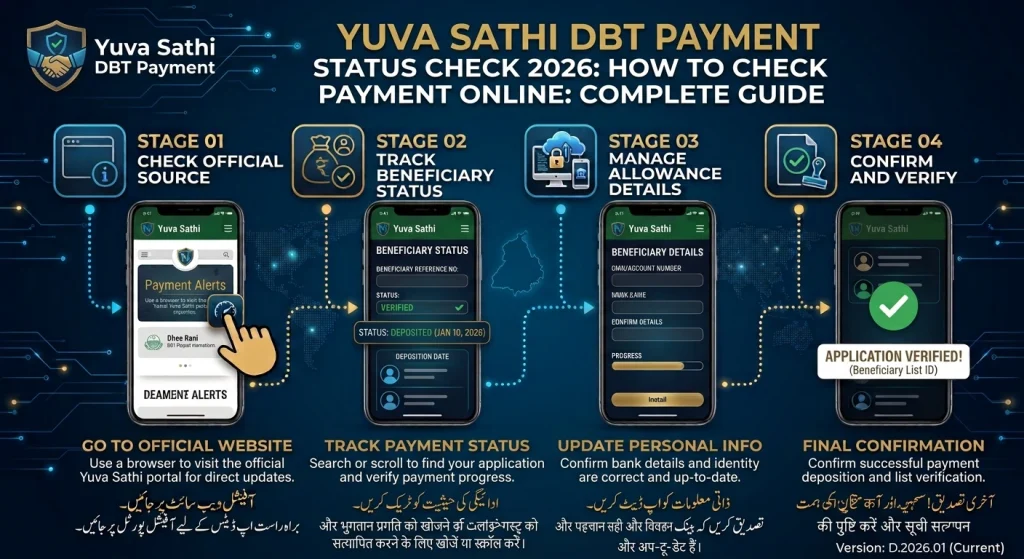
You can start by checking your application status through the official Banglar Yuba Sathi portal.
Follow these steps:
- Visit the official website: https://yubasathi.wb.gov.in/
- Find the Application Status option on the homepage.
- Open the status-checking section.
- Follow the instructions displayed on the official portal.
- Enter the application or registration details requested by the system.
- Complete OTP or other verification if prompted.
- Review the status displayed on the screen.
Keep your application acknowledgement or registration details ready before starting.
Important: Application status and bank payment confirmation are different. An approved application does not necessarily mean that the money has already been credited. Check your bank account separately to confirm the transaction.
How to Check Whether Yuva Sathi Money Has Been Credited
If your application has been approved, you can use the following methods to check whether the financial assistance has reached your bank account.
1. Check Your Bank SMS Alerts
If your registered mobile number is connected to your bank account, you may receive an SMS when a deposit is credited.
Check your recent bank messages for a transaction notification.
Remember that SMS alerts may be delayed or unavailable depending on your bank’s notification service.
2. Check Your Bank Passbook
Visiting your bank branch or updating your passbook is another way to confirm a payment.
Follow these steps:
- Visit your bank branch.
- Carry your passbook.
- Request an updated transaction statement.
- Check the latest credit entries.
- Look for a government benefit or DBT-related transaction.
If the amount has been credited, the transaction should appear in your account statement.
3. Use Mobile Banking
If your bank provides mobile banking, log in through its official application.
Open your account statement or transaction history and review recent credit entries.
Never share your mobile banking password, PIN, or OTP with anyone claiming to check your Yuva Sathi payment.
4. Contact Your Bank Branch
If you cannot identify a DBT payment in your account, contact your bank.
Ask the bank representative to check whether your account has received any government benefit transfer and whether there are any Aadhaar-linking or account-related issues.
How to Check Aadhaar-Bank Linking for Yuva Sathi DBT
The official scheme notification specifies that financial assistance is transferred to an Aadhaar-linked bank account held solely by the eligible applicant.
If you are not receiving a payment, check your bank account and Aadhaar-linking status.
You can take these steps:
- Visit your bank branch.
- Ask whether your Aadhaar is linked to your bank account.
- Confirm that the account belongs to you.
- Ask whether the account is active and able to receive DBT payments.
- Request assistance if any linking or verification problem is identified.
Do not share your Aadhaar OTP or banking credentials with unofficial agents.
Why Is My Yuva Sathi DBT Payment Not Received?
There can be several reasons why an expected payment has not appeared in your bank account.
1. Application Is Still Under Verification
Your application may still be undergoing official verification.
Even if you have submitted all the required documents, payment should not be assumed until the application has been sanctioned by the appropriate authority.
2. Application Has Not Been Approved
Only eligible applications that receive the required approval can receive financial assistance.
Check your application status through the official portal to understand whether your application has been approved.
3. Aadhaar Is Not Linked to Your Bank Account
An Aadhaar-linking issue may create difficulties with DBT payments.
Contact your bank and confirm that the required Aadhaar linking is complete.
4. Incorrect Bank Account Details
Incorrect account information can create payment-related problems.
Check the following details:
- Account holder’s name.
- Bank account number.
- IFSC code.
- Bank branch details.
- Whether the account belongs to the applicant.
Contact the bank if you identify an error.
5. Payment Has Not Yet Been Released
The scheme notification allows payments monthly or at regular intervals. A delay does not automatically mean that your application has been rejected.
Check official announcements and contact the help desk if you need clarification about a particular payment.
6. Bank Account Is Inactive
An inactive or restricted bank account may cause problems when receiving transfers.
Ask your bank whether your account is active and eligible to receive government payments.
What to Do If Yuva Sathi DBT Payment Is Pending
If you have not received your expected financial assistance, follow these practical steps:
- Check your application status on the official portal.
- Confirm whether your application has been approved.
- Check your bank statement and recent SMS alerts.
- Verify Aadhaar linking with your bank.
- Confirm that your bank account is active.
- Contact the official Yuva Sathi help desk if the issue remains unresolved.
Keep your application acknowledgement, bank passbook, and identity documents available when contacting the department.
Yuva Sathi DBT Payment Status: Important Application Updates
The official Banglar Yuba Sathi portal currently provides an Application Status option and announces that the online application submission period has ended.
According to the portal, new applications are no longer being accepted.
This means applicants who have already submitted their applications should use the official status-checking option and contact the help desk for assistance rather than relying on websites promising new registrations or guaranteed payment approval.
Official Yuva Sathi Help Desk Contact Details
If you cannot check your application status or have a DBT payment problem, contact the official help desk.
| Contact Detail | Official Information |
|---|---|
| Help Desk Number | 6292248888 |
| Email Address | yubasathi2026@gmail.com |
| Official Website | https://yubasathi.wb.gov.in/ |
| Department | Department of Youth Services & Sports, West Bengal |
When contacting the help desk, explain your issue clearly and keep your application reference details ready.
Never send your ATM PIN, bank password, OTP, or other confidential banking information.
Common Yuva Sathi DBT Payment Problems and Solutions
| Problem | Possible Solution |
|---|---|
| Payment not received | Check application approval and bank statement |
| Aadhaar linking issue | Contact your bank |
| Application status unavailable | Retry the official portal or contact the help desk |
| Bank account inactive | Ask your bank to check account status |
| Payment details unclear | Request transaction information from your bank |
| Application pending | Follow official status updates |
| Incorrect bank information | Ask the department about the applicable correction process |
Frequently Asked Questions
1. How can I check Yuva Sathi DBT payment status?
Visit the official Banglar Yuba Sathi portal and select Application Status. Follow the instructions to check your application. To confirm whether money has reached your account, check your bank statement or passbook.
2. How much money is provided under the Yuva Sathi Scheme?
The official scheme notification provides financial assistance of ₹1,500 per month to eligible beneficiaries, subject to the scheme’s conditions.
3. Is Yuva Sathi payment transferred through DBT?
Yes. The official notification states that financial assistance is transferred directly to an Aadhaar-linked bank account held solely by the eligible beneficiary.
4. Why is my Yuva Sathi payment not credited?
Possible reasons include pending application verification, lack of approval, Aadhaar-bank linking issues, incorrect bank details, or payment processing delays.
5. Can I check Yuva Sathi payment status using my mobile phone?
You can visit the official portal using your mobile browser and check the available Application Status option. You can also use your bank’s official mobile banking application to review credited transactions.
6. What should I do if my Aadhaar is not linked to my bank account?
Visit your bank branch and ask for assistance with Aadhaar linking and DBT-related account requirements.
7. What is the official Yuva Sathi help desk number?
The official Banglar Yuba Sathi portal lists 6292248888 as its help desk number. You can also contact the help desk through yubasathi2026@gmail.com.
8. Does approved application status guarantee that payment has been credited?
No. Approval and payment credit are separate steps. Check your bank account statement to confirm that the money has actually arrived.
Final Thoughts
The Yuva Sathi DBT Payment Status Check process involves checking your application through the official portal and confirming the actual payment through your bank account.
Eligible beneficiaries are entitled to ₹1,500 monthly assistance under the official scheme conditions. If your payment is delayed, check your application approval, Aadhaar-bank linking, and account status before contacting the help desk.
Always use the official West Bengal government portal for application updates and avoid unofficial websites that request personal or banking information.