Yuva Sathi DBT Payment Status Check 2026: How to Track Your Payment
Are you waiting for your Banglar Yuva Sathi payment and want to know whether the money has been transferred to your bank account? The West Bengal government’s Banglar Yuva Sathi scheme provides monthly financial assistance to eligible unemployed youth through Direct Benefit Transfer (DBT).
Under this scheme, eligible beneficiaries can receive ₹1,500 per month, subject to the scheme’s conditions. The amount is transferred directly to an Aadhaar-linked bank account held in the beneficiary’s own name.
If you want to know how to check your Yuva Sathi DBT Payment Status, this guide explains the application status checking process, bank account verification, common payment delays, and what to do if the money has not arrived.
What Is Yuva Sathi DBT Payment?
Banglar Yuva Sathi is a financial assistance scheme introduced by the Government of West Bengal for eligible unemployed educated youth.
Under the scheme, eligible applicants can receive:
- Monthly assistance: ₹1,500.
- Payment method: Direct Benefit Transfer (DBT).
- Bank account: Aadhaar-linked account held solely by the eligible beneficiary.
- Maximum duration: Five years or until the beneficiary becomes employed or enters another applicable scheme, whichever occurs earlier, subject to official conditions.
The government transfers the approved financial assistance directly to the beneficiary’s bank account instead of distributing cash manually.
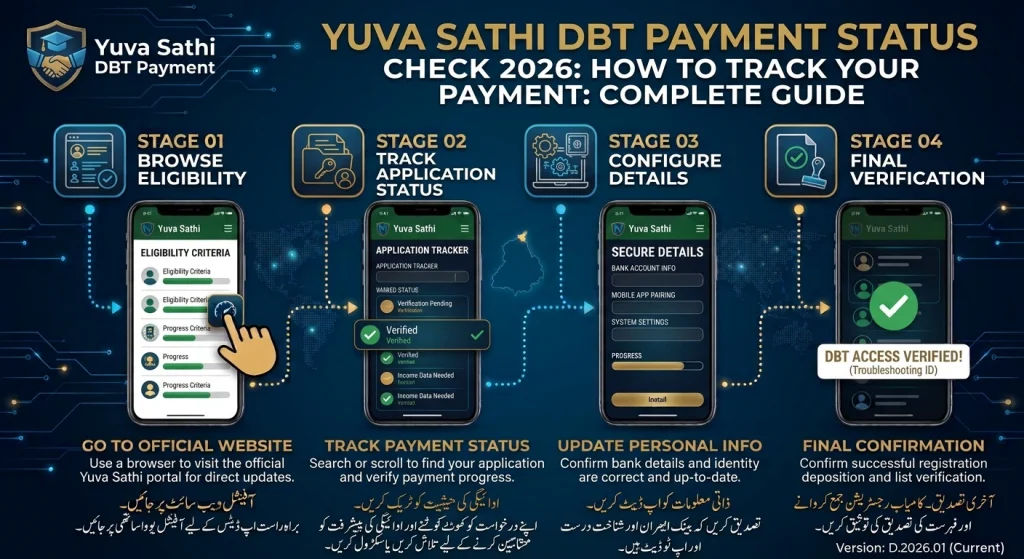
How to Check Yuva Sathi DBT Payment Status Online
If you have already submitted your application, you can use the official Banglar Yuva Sathi portal to check your application status.
Follow these steps:
- Visit the official Banglar Yuva Sathi website.
- Find the Application Status option.
- Open the status-check facility.
- Follow the instructions displayed on the official page.
- Enter the required application or registration details.
- Complete OTP or other verification if requested.
- Check the status displayed on the screen.
Keep your registered mobile number and application acknowledgement details available.
Important: Application status and DBT payment status are not necessarily the same. The application portal helps you understand the progress of your application, while your bank statement or passbook helps confirm whether the money has actually been credited.
How to Check Whether Yuva Sathi Money Has Been Credited to Your Bank Account
After your application is approved and payment is processed, you can verify the transaction using your bank’s official services.
1. Check Your Bank Passbook
Visit your bank branch and request an updated passbook.
Look for a recent credit transaction of ₹1,500 or the applicable payment amount. The transaction description may contain a government payment or DBT reference.
2. Check Mobile Banking
If your bank provides mobile banking, follow these steps:
- Open your bank’s official mobile application.
- Sign in securely.
- Select Account Statement or Transaction History.
- Choose the relevant date range.
- Review recent credit transactions.
Check whether a Yuva Sathi-related payment has appeared.
3. Check Your Bank SMS Alerts
Banks may send an SMS when money is credited to your account.
Check the registered mobile number for recent transaction notifications. If you do not receive an SMS, verify the transaction through your bank statement because SMS alerts may sometimes be delayed or unavailable.
4. Contact Your Bank Branch
If you cannot identify a government payment in your transaction history, contact your bank.
Ask the bank to check whether a DBT credit has been received, whether your account is active, and whether there are any Aadhaar-linking or account-related issues.
How to Check Aadhaar Linking for Yuva Sathi DBT Payment
An Aadhaar-linked bank account is an important requirement for receiving the scheme’s financial assistance.
If your payment is delayed, verify that your Aadhaar is correctly linked to the bank account you provided.
You can take these steps:
- Visit your bank branch.
- Ask whether your Aadhaar is linked to your bank account.
- Confirm whether the account is enabled for Aadhaar-based DBT payments.
- Ask the bank to check whether any linking or mapping issue exists.
- Follow the bank’s official procedure if an update is required.
Make sure the bank account is in the eligible applicant’s own name.
Do not share your Aadhaar OTP, ATM PIN, UPI PIN, or banking password with anyone claiming to check your DBT payment.
Yuva Sathi DBT Payment Not Received: Possible Reasons
If your expected payment has not arrived, several issues may be responsible.
1. Application Is Still Under Verification
Submitting an application does not automatically mean that payment has been approved.
Officials may need to verify personal details, educational qualifications, eligibility, and bank information before approving financial assistance.
Solution: Check the official application status and follow any instructions provided by the department.
2. Bank Account Is Not Aadhaar Linked
The scheme provides financial assistance through direct transfer to an Aadhaar-linked bank account held by the eligible beneficiary.
If your Aadhaar linking or DBT mapping is incomplete, payment may be affected.
Solution: Contact your bank and confirm the Aadhaar and DBT status of your account.
3. Incorrect Bank Details
Incorrect account information can create payment-related difficulties.
Check these details:
- Account holder’s name.
- Bank account number.
- IFSC code.
- Bank branch.
- Account activity and status.
Solution: Ask your bank to verify your account details. Contact the scheme help desk if you believe the information submitted with your application is incorrect.
4. Payment Has Not Yet Been Processed
An approved application does not necessarily mean that the money will appear in your account immediately.
There may be a gap between approval, payment processing, and the final bank credit.
Solution: Check your application status and bank transaction history again. Contact the official help desk if the delay continues.
5. Bank Account Is Inactive or Has Restrictions
An inactive, frozen, or restricted bank account may create problems when receiving a government transfer.
Solution: Contact your bank to confirm that the account is active and able to receive DBT credits.
6. Eligibility Verification Issue
If the department identifies an issue with your eligibility or submitted information, your application may not proceed to payment.
Solution: Check the official portal for instructions and contact the help desk to understand the issue.
Difference Between Yuva Sathi Application Status and DBT Payment Status
Applicants should understand that application approval and payment credit are two different stages.
| Status or Stage | Meaning | What You Should Do |
|---|---|---|
| Submitted | Application has been received | Keep acknowledgement details |
| Under Verification | Submitted information is being checked | Follow official instructions |
| Approved | Application has passed the relevant approval process | Monitor payment updates |
| Payment Processing | Payment may be undergoing processing, if this status is shown | Check bank transactions |
| Payment Credited | Money has reached the bank account | Verify the bank statement |
| Rejected | Application has not been accepted | Contact the official help desk |
These are general explanations of possible stages. The exact status labels displayed by the government portal may differ.
What to Do If Yuva Sathi DBT Payment Is Pending?
If your payment is pending, follow these practical steps:
- Check your application status through the official portal.
- Confirm that your application has been approved.
- Verify your bank account details.
- Confirm Aadhaar linking and DBT availability with your bank.
- Review your bank statement and SMS alerts.
- Contact the Yuva Sathi help desk if the issue remains unresolved.
Keep your application reference number, registered mobile number, and bank passbook available when requesting assistance.
Yuva Sathi Official Help Desk and Contact Details
If you cannot check your status or have a payment-related problem, contact the official Banglar Yuva Sathi help desk.
Official contact information:
- Help Desk Number: 6292248888
- Email: yubasathi2026@gmail.com
- Official Website: https://yubasathi.wb.gov.in/
When contacting the help desk, explain your problem clearly. Mention whether your application is pending, approved, rejected, or whether you are waiting for a bank credit.
Never share your banking password, ATM PIN, UPI PIN, or OTP with anyone.
Is Yuva Sathi Application Registration Still Open?
The official Banglar Yuva Sathi portal states that the online application submission period has ended.
According to the official closing notice:
- The application submission period closed on 26 February 2026.
- New applications are no longer being accepted under that application window.
- Application modifications are also not being accepted after closure.
Applicants who have already submitted their forms should use the official Application Status facility and follow government announcements for further instructions.
Frequently Asked Questions
1. How can I check Yuva Sathi DBT Payment Status?
Visit the official Banglar Yuva Sathi website and use the Application Status option. To confirm whether money has reached your account, check your bank passbook, mobile banking statement, or contact your bank.
2. How much money is provided under Banglar Yuva Sathi?
The scheme provides ₹1,500 per month to eligible unemployed youth, subject to the official eligibility conditions and payment approval.
3. Is Yuva Sathi payment transferred through DBT?
Yes. The official scheme notification specifies direct bank transfer to an Aadhaar-linked bank account held solely by the eligible beneficiary.
4. Why has my Yuva Sathi payment not arrived?
Possible reasons include pending verification, bank account problems, Aadhaar-linking issues, incorrect bank details, or payment processing delays. Check your application status and contact your bank or the official help desk.
5. Can I check Yuva Sathi payment status using my mobile phone?
You can access the official application status facility through your mobile browser. For confirmation of a bank credit, use your bank’s official mobile application or SMS service.
6. Does application approval mean the Yuva Sathi money has been credited?
No. Approval and payment credit are separate stages. Always check your bank transaction history to confirm that the amount has arrived.
7. What should I do if my Aadhaar is not linked to my bank account?
Visit your bank branch and ask about the official Aadhaar-linking and DBT activation process. Follow the bank’s instructions before expecting an Aadhaar-based payment.
8. Where can I complain about a Yuva Sathi payment problem?
You can contact the official help desk at 6292248888 or email yubasathi2026@gmail.com for assistance.
Final Words
Checking your Yuva Sathi DBT Payment Status is important if you are waiting for the monthly financial assistance under Banglar Yuva Sathi.
Start by checking your application status on the official portal. Then verify your bank account, Aadhaar linking, and recent transactions to understand whether your payment has been processed.
Remember that an approved application does not automatically confirm a successful bank transfer. Always verify the actual credit through your bank and rely on official government information for payment updates.